

To navigate the Web3 landscape securely, your portal to every yield farm, decentralized exchange (DEX), and NFT marketplace is your defi wallet. Choosing the wrong tool can result in lost assets, a frustratingly clunky user experience, or worse, falling victim to a devastating drainer smart contract.
Whether you want to stake Ethereum, trade hyper-volatile memecoins on Solana, or lock your life-changing gains in deep cold storage, this exhaustive guide will help you find the best defi wallet for your specific journey.
Key takeaways: The Best DeFi Wallets at a Glance
- Best Overall for Web3 Natives: MetaMask (Unmatched dApp compatibility and highly customizable).
- Best for Ultimate Security (Cold Storage): Ledger (Physical hardware devices keeping your keys offline).
- Best for Complete Beginners: Coinbase Wallet (Plain-English transaction previews and flawless UI).
- Best for Mobile Multi-Chain: Trust Wallet (Natively supports over 100+ different blockchains).
- Best for Privacy & Power Users: Frame (System-level native desktop app with elite security routing).
- Best for the Solana Ecosystem: Solflare (Blazing fast with built-in malicious contract blocking).
The Golden Rule: Never store significant wealth in a hot (software) wallet. Use a hardware wallet for your life savings, and a software wallet for your daily decentralized trading.
What is a Decentralized Wallet?
Before we dive into reviews and rankings, we need to answer a foundational question that stumps a lot of beginners: what is a decentralized wallet, exactly?
Here is the biggest misconception in crypto: your wallet does not actually “store” your cryptocurrency. Your tokens and coins live eternally on the public blockchain ledger. Instead, a defi wallet is a software interface or a physical hardware device that securely stores your cryptographic keys. Specifically, it holds your private keys, which act as digital signatures authorizing transactions and proving your ownership of a specific blockchain address.
Unlike a traditional bank account or a centralized exchange like Coinbase or Binance, where the company holds the keys and you just hold a password: a defi wallet gives you absolute, uncompromised custody.
The Mechanics of a DeFi Wallet:
| Component | Function | Analogy |
| Private Key | Your highly secret digital signature used to authorize moving funds. | The PIN code to your physical vault. |
| Wallet Interface | The software (MetaMask, Phantom) that reads your keys and displays your balance. | The banking app on your phone. |
| Public Address | Your visible blockchain address where people can send you funds. | Your routing and account number. |
| Blockchain | The decentralized ledger (Ethereum, Solana) where the assets actually live. | The bank’s master ledger system. |
Custodial vs. Non-Custodial: Who Actually Owns Your Crypto?
This distinction divides the entire cryptocurrency space into two completely different philosophies:
- Custodial Wallets: These are managed by centralized entities. When you buy Bitcoin on a major exchange and leave it there, they hold the private keys. You log in with an email and password. You have to trust that they won’t get hacked, go bankrupt, or block your withdrawals.
- Non-Custodial (Decentralized) Wallets: With the best decentralized wallet, you retain sole ownership of your private keys. When you set it up, you are handed a 12-to-24-word seed phrase (your recovery phrase). If the company that made the wallet software goes out of business tomorrow, your funds are 100% safe. You just plug those 12 words into any other compatible software, and your funds reappear.
Why You Need a Dedicated DeFi Wallet Today
Relying on a standard exchange account is like looking at a theme park through the front gates. You can see the rides, but you can’t get on them.
Standard exchange accounts cannot connect to decentralized applications (dApps) like Uniswap, Aave, or MakerDAO. To participate in liquidity pools, claim lucrative airdrops, swap tokens directly peer-to-peer, or mint NFTs, you absolutely need a Web3-compatible wallet.
Furthermore, a top-tier best decentralized crypto wallet now features built-in transaction simulators. These tools act as a bodyguard, warning you before you sign a malicious transaction by showing you exactly which assets will leave your account and what you will receive in return. In an environment packed with highly sophisticated phishing campaigns, this layer of defense is non-negotiable.
Types of DeFi Wallets: Hot vs. Cold Storage
When exploring the vast market of defi wallets, you’ll quickly discover they are split into two primary categories: hot storage (connected to the internet) and cold storage (disconnected from the internet). Understanding this division is critical to building a bulletproof personal security setup.
| Feature | Hot Wallets (Software) | Cold Wallets (Hardware) |
| Internet Connection | Always online. | Offline (Air-gapped). |
| Primary Form Factor | Browser Extensions, Mobile Apps. | Physical USB-like Devices, Paper. |
| Best Used For | Daily trading, fast dApp connections, NFT mints. | Long-term secure holding (HODLing). |
| Primary Vulnerability | Malware, malicious browser extensions. | Physical loss or destruction of the device/seed phrase. |
Software Wallets (Hot Wallets): Fast and Connected
Hot wallets run on internet-connected devices. Think of your smartphone, your iPad, or your laptop. They usually take the form of browser extensions (like Chrome or Brave add-ons) or dedicated mobile apps.
- The Pros: Hot wallets are incredibly convenient. They allow you to swap tokens, execute rapid trades, and connect to dApps in milliseconds. They are perfect for day trading or grabbing an NFT mint before it sells out. Plus, most of them are entirely free to download.
- The Cons: Because the device they run on is connected to the internet, hot wallets are inherently vulnerable. If you accidentally download malware, a keylogger, or a compromised browser extension, a hacker could extract your private keys and drain your account while you sleep.
Hardware Wallets (Cold Wallets): Ultimate Security
Cold wallets are physical pieces of hardware, often resembling a thick USB thumb drive or a small smartphone, designed to do one thing: keep your cryptographic keys strictly offline.
- The Pros: Your private keys never leave the physical boundaries of the device’s Secure Element chip. Even if you plug your hardware wallet into a laptop heavily infected with viruses, the hackers cannot steal your private keys. To move any funds, you must physically press buttons on the actual device in your hand.
- The Cons: They cost money (usually between $60 to $250) and they introduce friction. If you are on the train and want to buy a coin dipping in price, you can’t, unless you happen to have your hardware device on you and ready to connect.
The Hybrid Approach
Here is a secret that power users know: you do not have to choose between convenience and security. You can have both.
The industry standard is a hybrid setup. You use a popular browser-based software wallet as your interactive screen, but you keep your actual keys locked inside a hardware wallet. When you want to interact with a dApp, the software wallet sets up the transaction, but it will fail to execute until you plug in your hardware device and physically approve it. This combination creates the ultimate best decentralized wallets experience.
How to Choose the Best Decentralized Wallet for Your Needs?
Before you blindly download the first app you see recommended on social media, take a step back. Evaluate your habits, your technical skill level, and your goals. The best defi wallets are not one-size-fits-all solutions. Consider these critical factors:
Security & Self-Custody Features
Look under the hood. Does the app support hardware wallet integrations? If it’s a mobile app, does it require FaceID or fingerprint biometrics to open? Modern wallets are also adopting Multi-Party Computation (MPC), a technology that splits your private key into multiple invisible shards, and “Social Recovery,” which lets trusted friends help you regain access if you lose your device.
Multi-Chain Operability vs. Single-Chain Focus
We no longer live in an Ethereum-only universe. The ecosystem is wildly fragmented across high-speed networks like Solana, Arbitrum, Optimism, Base, Avalanche, and Sui.
- If you are a yield farmer hopping from chain to chain to chase the highest returns, you need a multi-chain wallet that displays all your assets in a unified, clean dashboard.
- If you are a die-hard loyalist focusing entirely on one ecosystem (like Solana), a specialized single-chain wallet will give you much faster speeds and better integration with local dApps.
Seamless dApp Connectivity and Built-in Swaps
A great wallet gets out of your way. It makes connecting to platforms like Uniswap, Lido, or OpenSea feel effortless. Keep an eye out for wallets that feature native swaps built directly into the interface. While they usually charge a small convenience fee (around 0.5% to 0.8%), they save you the headache of navigating away to external, sometimes confusing, decentralized exchanges.
User Experience (UX) and Interface Design
Crypto is complicated enough with its gas limits, slippage tolerance, and confusing contract addresses. A poorly designed user interface isn’t just annoying; it can lead to devastating financial mistakes, like sending funds to the wrong network entirely. You want clean layouts, human-readable transaction screens, and rock-solid customer support.
The Best DeFi Wallets of 2026: Our Top Picks
To help you cut through the noise, our team has rigorously tested, broken, and analyzed the market to bring you the top defi wallets available today. Here is our detailed breakdown of the premier options.
1. MetaMask

Consistently ranked by developers and users alike as a prime candidate for the best defi wallet, MetaMask is the undisputed 800-pound gorilla of Web3. Developed by ConsenSys, it boasts tens of millions of active users. If a dApp exists on an EVM (Ethereum Virtual Machine) network, it supports MetaMask. Period.
- The Ecosystem Experience: MetaMask is a chameleon. Out of the box, it supports Ethereum and popular Layer-2 networks like Arbitrum, Optimism, and Base. But with their newer “Snaps” feature, third-party developers can build plugins that allow MetaMask to interact with non-EVM networks like Bitcoin and Solana.
- Why It’s a Top Choice: It has the deepest dApp integration in the industry. It integrates flawlessly with major hardware wallets (Ledger, Trezor, Keystone) and offers a fantastic built-in Portfolio dashboard where you can bridge assets across networks and track your net worth.
- Pros:
- Universal compatibility. Every dApp is built with MetaMask in mind first.
- Highly customizable via the “Snaps” framework.
- Open-source core code allows for intense community security audits.
- Cons:
- Without Snaps, it lacks native support for non-EVM chains.
- The UX can feel a bit clunky and intimidating to absolute beginners.
2. Ledger
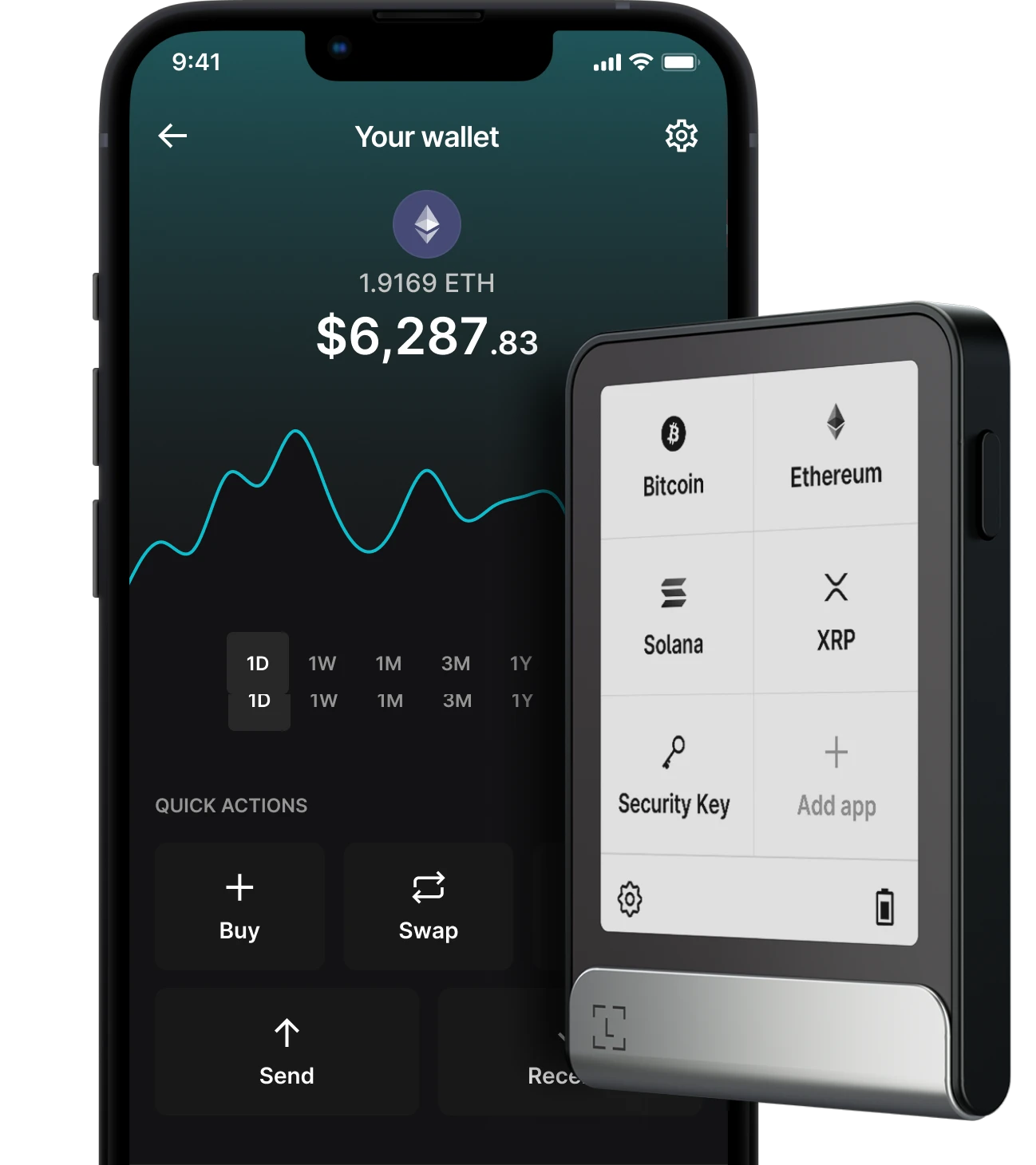
If you are holding anything more than a few hundred dollars in crypto, security must be your obsession. Ledger remains the gold standard of cold storage. With devices ranging from the affordable Nano S Plus to the bluetooth-enabled Nano X, and the premium touchscreen Ledger Stax, they offer something for every budget.
- The Ecosystem Experience: A single Ledger device can secure thousands of different assets across dozens of blockchains simultaneously.
- Why It’s a Top Choice: Ledger devices utilize a CC EAL6+ certified Secure Element chip, the same grade of security used in passports and high-end credit cards. When paired with the Ledger Live companion app, you get a highly secure, closed-loop environment to buy, sell, and stake assets without ever exposing your keys to the web.
- Pros:
- Uncompromised physical security against digital hacking attempts.
- Works seamlessly as the backbone for hot wallets like MetaMask or Phantom.
- Constant firmware updates and a massive developer ecosystem.
- Cons:
- Upfront financial cost.
- Adds friction to fast-paced day trading.
3. Coinbase Wallet
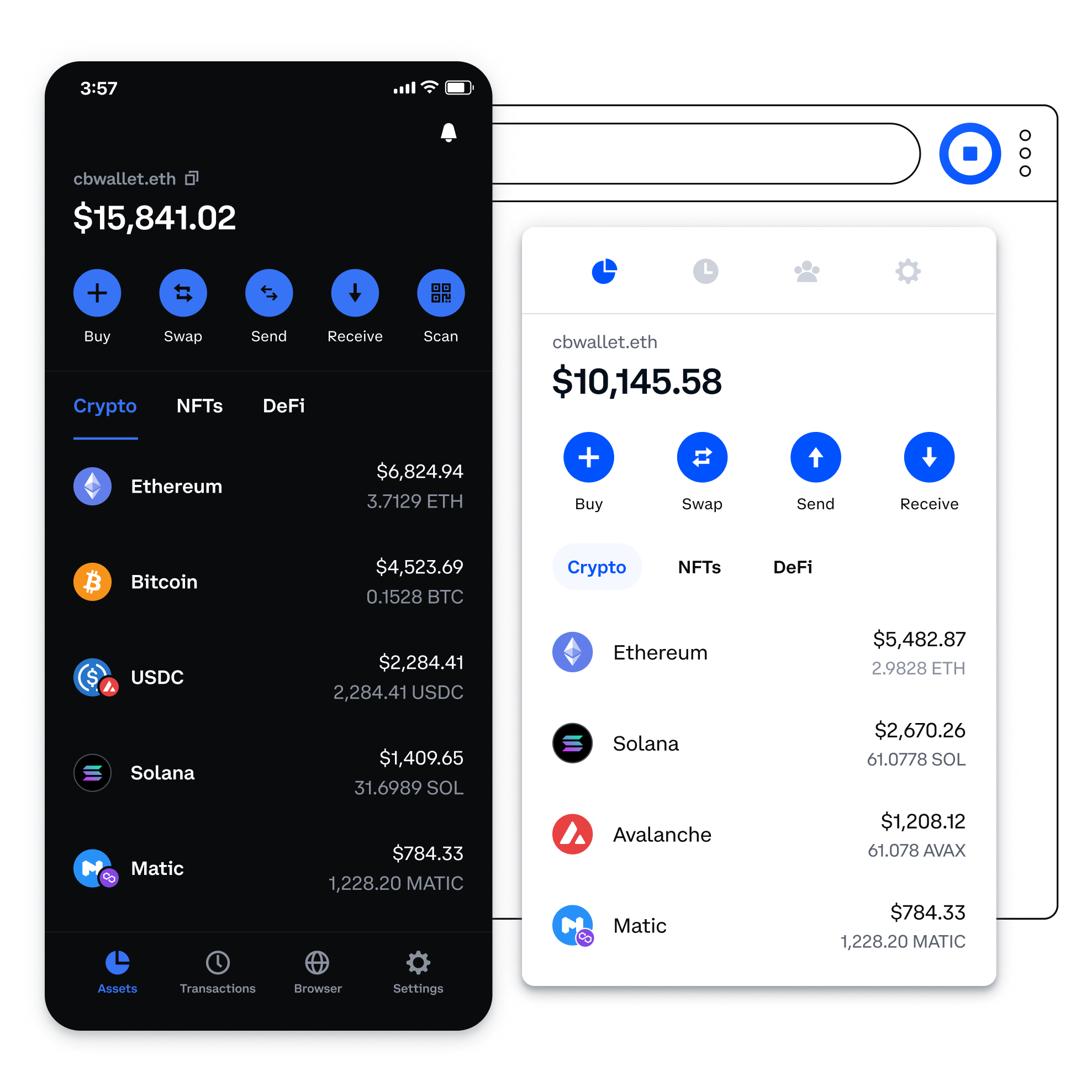
Do not confuse this with the centralized Coinbase Exchange app. The Coinbase Wallet is a fully non-custodial, standalone application. You hold the keys. Because of its massive brand backing, it represents perhaps the most polished, user-friendly gateway into decentralized finance.
- The Ecosystem Experience: It shines particularly bright on Base, the low-cost Layer-2 network incubated by Coinbase, but it also natively supports Ethereum, Solana, Bitcoin, and thousands of other tokens.
- Why It’s a Top Choice: The UX is unparalleled. It strips away terrifying technical jargon and replaces it with plain English. It clearly shows you what a transaction will do before you sign it. Plus, you can link it directly to your centralized Coinbase account to move funds back and forth without copying and pasting terrifying 42-character alphanumeric addresses.
- Pros:
- Masterclass in beginner-friendly design and human-readable alerts.
- Flawless integration with the rapidly growing Base network ecosystem.
- Offers cloud backup options for your recovery phrase (for those who want it).
- Cons:
- The core software is closed-source, which annoys privacy purists.
- Advanced power users might find the interface lacks granular controls.
4. Trust Wallet
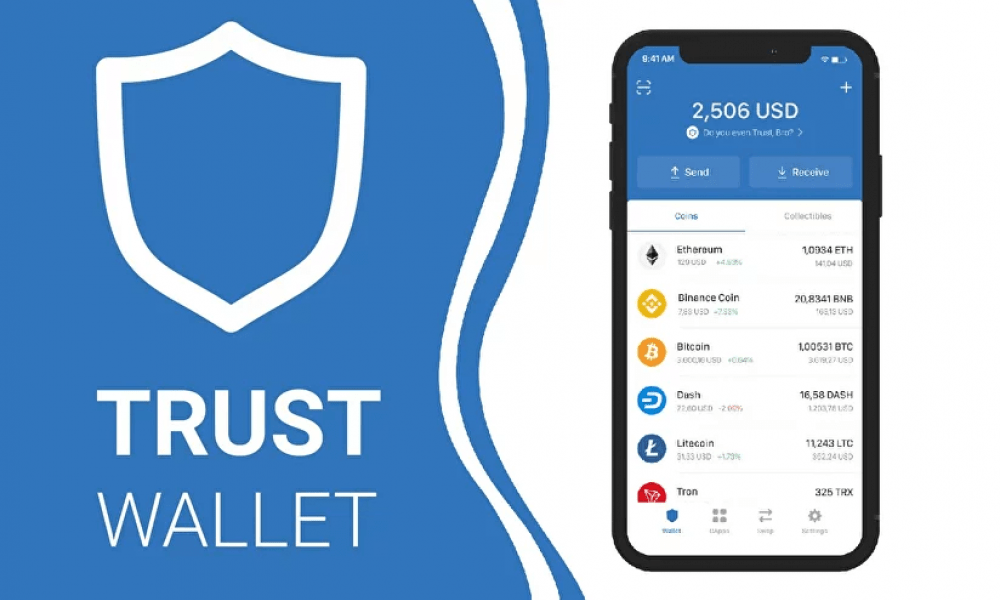
Owned by the exchange giant Binance, Trust Wallet is a mobile-first powerhouse. If you want to manage an incredibly diverse portfolio of altcoins from your iPhone or Android, this is arguably the strongest contender for the best decentralized wallet.
- The Ecosystem Experience: Trust Wallet’s main selling point is its out-of-the-box support for over 100 distinct blockchains. You don’t have to fiddle with custom RPC networks. Whether it’s Bitcoin, Cosmos, Polkadot, or Binance Smart Chain, Trust Wallet handles it natively.
- Why It’s a Top Choice: It features incredibly simple, in-app staking. With just two taps, you can start earning yield on various proof-of-stake coins. Android users also benefit from a fully integrated dApp browser right inside the app.
- Pros:
- True, massive multi-chain support covering almost every active public network.
- Clean, fast, and highly optimized for mobile devices.
- Dead-simple staking integrations.
- Cons:
- The desktop browser extension feels like an afterthought compared to the mobile app.
- Customer support can be slow due to the massive user base.
5. Frame
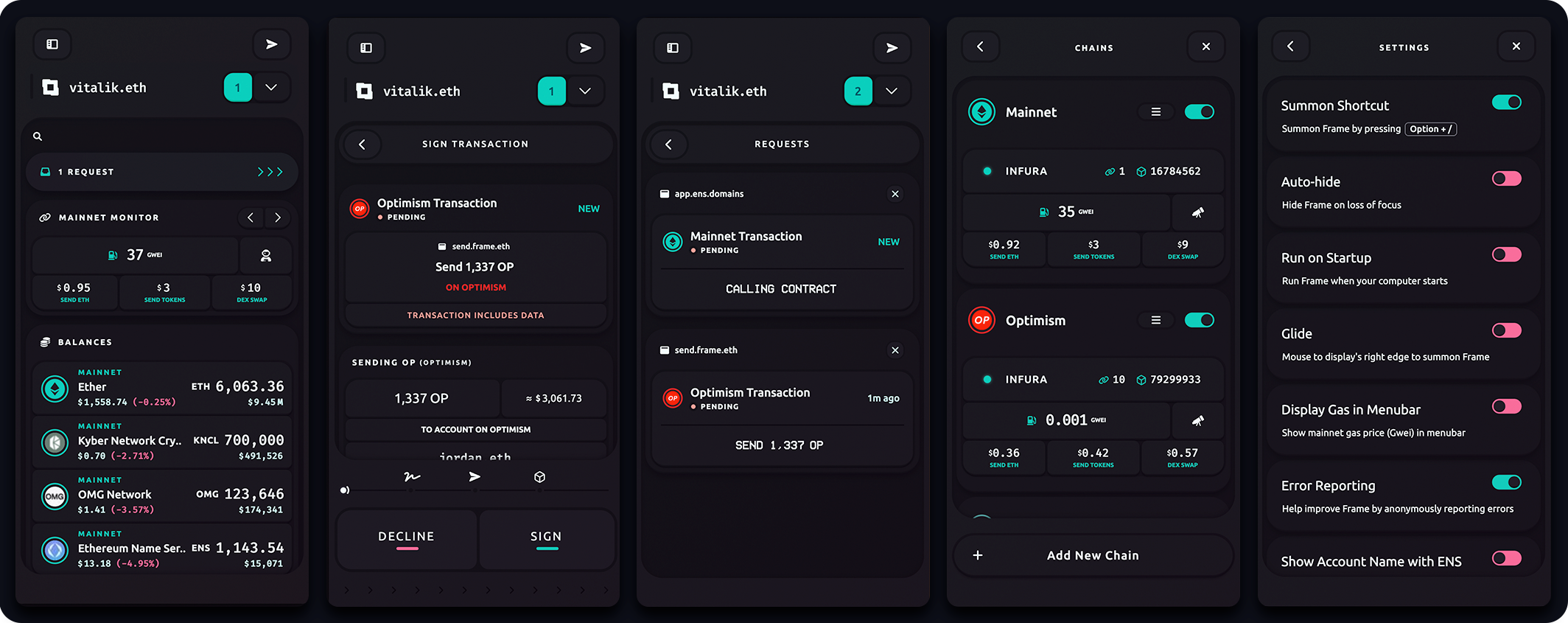
Frame is a bit of a hidden gem, beloved by crypto purists, developers, and privacy advocates. Unlike MetaMask or Coinbase Wallet, which live inside your web browser, Frame is a native desktop application built for macOS, Windows, and Linux.
- The Ecosystem Experience: Frame acts as a system-wide router for your Web3 interactions across Ethereum and EVM Layer-2s. It allows you to manage multiple hot and cold addresses with surgical precision.
- Why It’s a Top Choice: Standard extension wallets inject tracking scripts directly into every webpage you visit. Frame operates at the operating system level. It intercepts dApp connection requests securely, giving you absolute, paranoid-level control over which websites can view your public addresses.
- Pros:
- Beautiful, lightning-fast native desktop application.
- Elite privacy protections and system-level control over dApp routing.
- The smoothest hardware wallet companion experience on the market.
- Cons:
- Desktop only. There is no mobile app version.
- It caters to advanced users; beginners will face a steep learning curve.
6. Solflare

As Solana continues to dominate trading volumes, the demand for highly specialized wallets has skyrocketed. Built by veteran developers who intimately understand the Solana Virtual Machine (SVM), Solflare is a masterpiece of speed and optimization.
- The Ecosystem Experience: Solflare natively understands Solana’s unique quirks. It handles token accounts perfectly, organizes compressed NFTs flawlessly, and routes swaps through local aggregators to minimize slippage during volatile trading.
- Why It’s a Top Choice: Security. Solflare pioneered proactive threat warnings. If you accidentally try to interact with a smart contract that has been flagged as a drainer or malicious, Solflare throws up a massive, red warning screen to stop you in your tracks.
- Pros:
- Best-in-class performance tailored exclusively for Solana.
- Lifesaving transaction simulations that prevent phishing attacks.
- Seamless integration with Ledger hardware wallets.
- Cons:
- Strictly restricted to Solana. No Ethereum or Bitcoin support whatsoever.
Comparison Overview
To make your decision easier, we have compiled the crucial specs into this structured matrix. When searching for the best defi wallets, refer to this table to match your specific needs with the right tool.
| Wallet Name | Best For | Storage Type | Key Supported Networks | Open Source | Hardware Support |
| MetaMask | Web3 Natives & dApps | Software (Hot) | Ethereum, L2s, Solana (via Snaps) | Yes (Core) | Excellent |
| Ledger | Ultimate Security | Hardware (Cold) | 5,500+ cryptos (Multi-Chain) | Partially | Native Device |
| Coinbase Wallet | Beginners | Software (Hot) | Ethereum, Solana, Bitcoin, Base | No | Good |
| Trust Wallet | Mobile Users | Software (Hot) | 100+ Blockchains | Yes (Mobile) | Good |
| Frame | Privacy & Power Users | Desktop App | Ethereum, EVM L2s | Yes | Outstanding |
| Solflare | Solana Ecosystem | Software (Hot) | Solana | Yes | Excellent |
Honorable Mentions
While the giants listed above dominate the market share, the crypto space moves at lightning speed. Several highly innovative alternatives have emerged, solving specific pain points that legacy wallets still struggle with. Keep these on your radar.
Argent: Best for Smart Contract Security

Argent is not a normal wallet; it is a smart contract wallet leveraging a technology called Account Abstraction. Instead of forcing you to write down a 12-word seed phrase, Argent uses “Social Recovery.” You designate “Guardians”, like your hardware wallet, a trusted family member, or a secondary email address. If you lose your phone, your Guardians can approve the recovery of your account. You can also set daily withdrawal limits, making it incredibly resilient to hacks.
Zengo: Best Seedless Wallet (MPC Technology)

Zengo eliminates the single largest point of failure in self-custody: a thief finding your paper seed phrase. Zengo utilizes Multi-Party Computation (MPC) cryptography. Your private key is split into two mathematical “shares.” One lives on your phone, the other on Zengo’s servers. A transaction requires both shares to execute. If your phone is stolen, the thief can’t access funds without Zengo’s server authentication (which is protected by your 3D facial biometrics).
Bitget Wallet (formerly BitKeep)

Massively popular in Asian markets, Bitget Wallet is a feature-rich multi-chain monster. It integrates an excellent native swap aggregator that hunts for the best prices across multiple DEXs, an NFT marketplace, and a launchpad all inside one app.
How to Set Up and Secure Your First DeFi Wallet
Are you ready to pull your funds off the centralized exchanges and take real ownership? Setting up your first best decentralized crypto wallet is actually very straightforward, but you must be incredibly vigilant. One wrong move during setup can compromise you forever. Follow these steps meticulously.
Step 1: Downloading the Official Application
Phishing is the apex predator of Web3. Hackers routinely buy Google Ads that look identical to official wallet websites. If you click the ad, you download a clone app that steals your keys the second you generate them.
- Rule 1: Always double-check URLs. Type metamask.io or ledger.com manually into your browser.
- Rule 2: Check the app store developer name and review count. If MetaMask only has 150 reviews, you are looking at a fake app.
Step 2: Generating and Securing Your Seed Phrase
When you open the app, you will click “Create New Wallet.” The software will generate your 12-to-24-word recovery phrase. This is the master key to your digital vault.
- NEVER take a screenshot of it. Apps can read your photo library.
- NEVER type it into an email, a Google Doc, or a password manager. Cloud databases get breached.
- Write it down on physical paper. Better yet, stamp it into a fireproof titanium plate. Store it in a physical safe. Anyone who possesses these words possesses your money.
Step 3: Funding Your Wallet with Cryptocurrency
To do anything on a blockchain: swap a token (like BTC to USDT), mint an NFT, send money to a friend, you have to pay a network fee, commonly called “gas.” Gas must be paid in the native currency of the network you are operating on.
- If you are on Ethereum, Arbitrum, or Base, you need ETH.
- If you are on Solana, you need SOL.
- If you are on Binance Smart Chain, you need BNB.
- Buy a small amount of this native gas token on your centralized exchange (like Kraken or Coinbase), copy your new public wallet address, and send the funds over.
Step 4: Connecting Safely to Decentralized Finance Apps
When you visit a dApp like Uniswap, click the “Connect Wallet” button (usually in the top right). Select your wallet provider and sign the connection prompt.
Note: Simply connecting your wallet does not give the website permission to steal your money. It only allows the website to see your public address and balances. To move money, you must actively sign a secondary transaction.
The Biggest Security Risks
Self-custody is empowering, but it is a dark forest. There is no customer service hotline to call if you make a mistake, and transactions are completely irreversible. To survive, you must understand the primary vectors of attack.
Phishing and Malicious Smart Contracts
Modern phishing attacks are terrifyingly sophisticated. Scammers will recreate exact visual replicas of popular DeFi sites, or hack the official Twitter accounts of real projects to post fake “Airdrop Claim” links.
When you connect your wallet to these fake sites, they prompt you to sign a transaction. Often, they ask for an “Unlimited Token Approval.” If you click approve, you are literally giving the smart contract legal permission to drain your entire balance of that specific token. Always read exactly what permissions you are granting.
The Danger of “Blind Signing”
“Blind signing” happens when you approve a transaction on your hardware wallet, but the device’s tiny screen just says “Data Present” instead of showing you exactly what the contract is doing. You are essentially signing a blank check in the dark.
Always strive to use dApps and wallets that support “Clear Signing.” Clear signing ensures that your device physically displays the exact smart contract address, the exact amount of tokens leaving your balance, and the exact function you are calling before you press the physical buttons to authorize it.
Best Practices for Your Wallet Hygiene
To keep your hard-earned assets safe year after year, adopt these Web3 hygiene habits:
- Use Multiple Wallets (The Air-Gap Strategy): Never keep your life savings in the hot wallet you use to connect to random new meme-coin websites. Maintain a “burner” hot wallet for high-risk daily interactions, and keep your primary wealth locked in a cold hardware wallet that only interacts with ultra-safe, audited blue-chip protocols.
- Regularly Revoke Permissions: Over time, you will grant spending permissions to dozens of dApps. Use tools like Revoke.cash or your wallet’s built-in security dashboard to audit and revoke these permissions once you are done using the dApp.
- Beware of Address Poisoning: Hackers will send a transaction of $0.00 to your wallet from an address that looks almost exactly like an address you frequently send money to. They hope you will check your transaction history, blindly copy their fake address, and send your next payment to them. Always verify the first and last five characters of an address.
Frequently Asked Questions (FAQ)
What is the most secure DeFi wallet?
For absolute, uncompromised security, a physical hardware wallet like Ledger or Trezor, strictly kept offline and used only with clear-signing, is the gold standard. Among purely software-based options, smart contract wallets like Argent (which utilize social recovery) and MPC-based wallets like Zengo offer the most resilient security architectures against human error.
Can I connect a hardware wallet to a software wallet?
Absolutely. In fact, this is the recommended setup for all serious Web3 users. Most of the best decentralized wallets (including MetaMask, Phantom, Solflare, and Frame) allow you to bridge physical hardware devices directly. The software acts as a beautiful visual interface, while your private keys remain entombed inside your hardware device.
Do decentralized wallets charge fees?
Downloading, generating, and receiving cryptocurrency into a defi wallet is 100% free. However, actually executing a transaction on the blockchain requires paying native gas fees directly to the network validators (miners/stakers). If you use a wallet’s built-in convenience features, like a native token swapper or a cross-chain bridge, the wallet provider will usually tack on a small service fee (typically between 0.5% and 0.87%).
What happens if I lose my DeFi wallet password?
Your daily password (or PIN code) only locks the application on your specific device. If you forget your password, you can simply delete the app, reinstall it, and import your 12-to-24-word seed phrase to restore your access entirely. However, if you lose that 12-to-24-word seed phrase, your funds are permanently gone. No one on earth can recover them for you.
Disclaimer: The world of decentralized finance is highly experimental and carries significant financial risks. This guide is strictly for educational purposes and should not be construed as financial advice. Always do your own profound research before moving digital assets or interacting with smart contracts.
Disclaimer: The material in this article is not financial or investment advice. Everything stated here reflects the author's personal view and should not be treated as a recommendation to trade or invest. We make no warranties regarding the accuracy, reliability or completeness of the information presented. Cryptocurrency markets are highly volatile and can move unpredictably. Before committing any funds, every investor, trader or crypto user should study several independent sources and check the regulations that apply in their own jurisdiction.