
Key Takeaways:
Depends on what you need: MyDoge is the easiest official pick for everyday use, Ledger and Trezor lead on hardware security, and Trust Wallet works well for multi-chain support. DOGE trades around $0.07 with a $10.9 billion market cap in mid-2026. Pair a hot wallet for spending with cold storage for larger amounts.
What Makes a Good Dogecoin Wallet?
There’s no single right answer here, it really comes down to how you actually plan to use DOGE. Someone tipping small amounts on Reddit or X needs something completely different from someone sitting on a large long-term position they’re not touching for years. A few things matter regardless of use case: reliable DOGE support (not every multi-chain wallet handles it well, some treat it as a bit of an afterthought), a clean send-and-receive flow that doesn’t make you nervous every time you hit confirm, and security that actually matches the size of what you’re holding.
Wallets split into the same two camps as almost every other crypto asset: hot wallets (mobile apps, browser extensions, anything connected to the internet) and cold wallets (mostly hardware devices that keep keys offline). Hot wallets make sense for frequent spending, tipping, or moving small amounts around day to day. Cold storage is worth the extra hassle once the balance gets large enough that convenience starts to matter less than locking down remote attack risk. A lot of people end up running both, small spending wallet on the phone, real savings tucked away on a hardware device.
Dogecoin itself has come a long way from its 2013 origin as a joke, created in about three hours by Billy Markus and Jackson Palmer as a parody of the crypto speculation happening at the time. As of mid-2026, DOGE trades around $0.07 with a market cap near $10.9 billion, putting it among the ten largest cryptocurrencies by that measure, which is a genuinely strange outcome for something that started as a meme. Unlike Bitcoin’s fixed 21 million cap, Dogecoin has no maximum supply and adds roughly 5 billion new coins a year, an inflation rate around 3.5% that slowly declines as the total supply grows. That’s not an accident, it’s a deliberate design choice meant to keep DOGE functioning as a spendable currency rather than a scarce store of value, and it’s worth keeping in mind when you’re picking a wallet built for spending versus one built for sitting on savings.
One more thing worth knowing before you pick a wallet: Dogecoin targets roughly a one-minute block time, noticeably faster than Bitcoin‘s ten minutes, which is part of why it’s held onto a reputation as a decent option for quick, casual payments and tips even as its price has stayed relatively low. That speed doesn’t really change which wallet you should pick, but it does explain why DOGE shows up so often in tipping bots, small merchant payments, and casino deposits rather than being treated purely as a speculative asset.
What Is the Best Official Dogecoin Wallet?
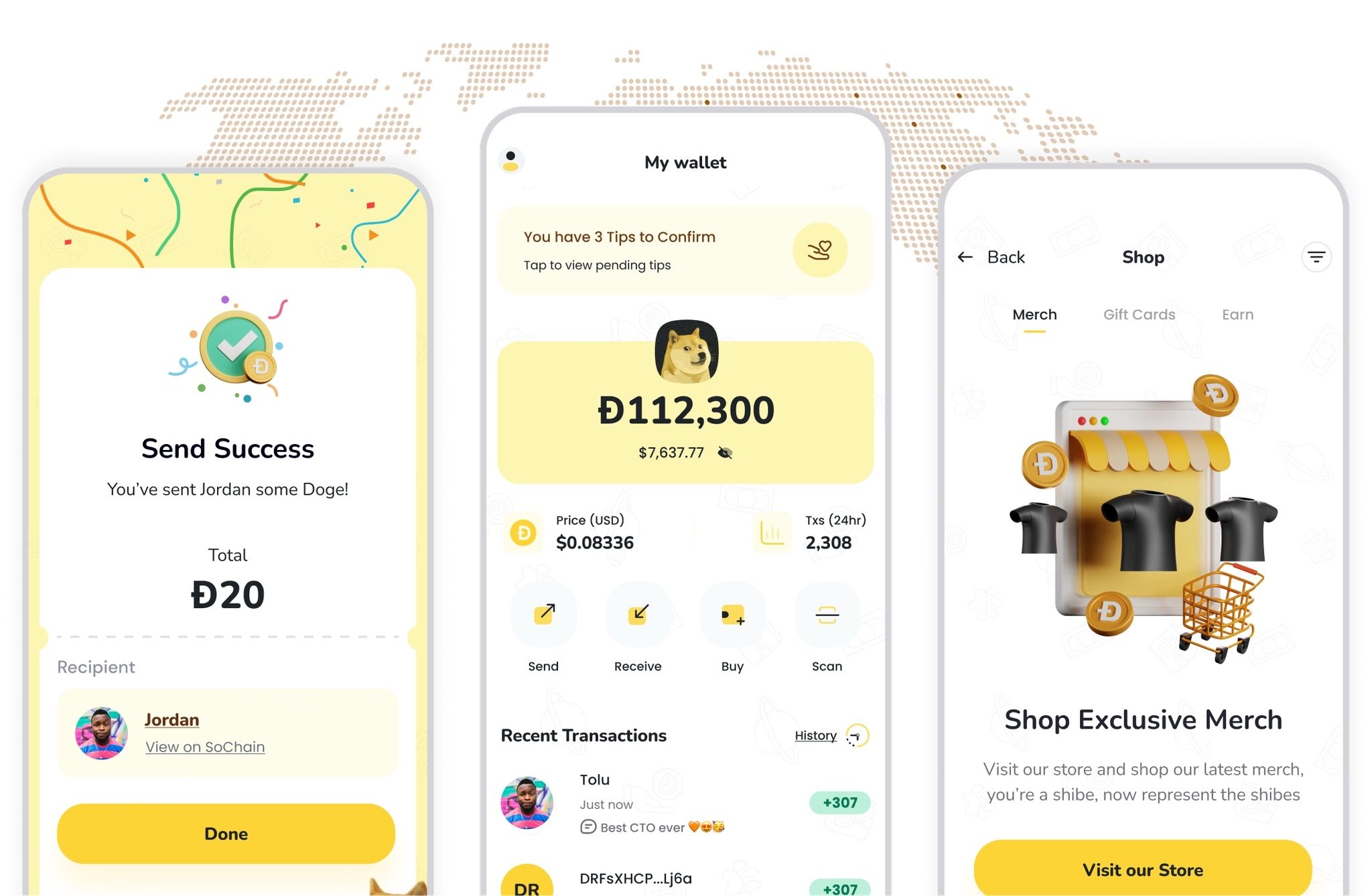
Source: Mydoge
MyDoge is the closest thing Dogecoin has to an official mobile wallet, and it’s built specifically around the DOGE ecosystem rather than treating it as one asset among hundreds like most multi-chain apps do. Beyond basic sending and receiving, MyDoge supports Doginals and DRC-20 tokens (Dogecoin’s answer to Bitcoin Ordinals and BRC-20s) and leans into what the team calls the “Dogeverse,” a more social, community-driven layer built on top of the wallet itself. If you’re someone who’s active in the Dogecoin community specifically, rather than just holding it as one line in a broader portfolio, this native focus tends to matter more than it sounds like it would on paper.
For anyone who wants the strongest possible trust guarantees and doesn’t mind the setup effort, Dogecoin Core is the official full-node wallet distributed directly from the Dogecoin project itself. Running it means downloading and independently verifying the entire Dogecoin blockchain on your own machine, so you’re not relying on any third party, not MyDoge’s servers, not a block explorer, nobody, to tell you your balance is accurate. It takes considerably more disk space, bandwidth, and patience than a lightweight app, easily tens of gigabytes and hours of initial sync time, which makes it better suited to technically confident users than to someone just getting started with crypto. Most people never need to run a full node, but if you’re the type who wants to verify everything yourself rather than trust anyone else’s word for it, this is the option that actually delivers that.
MyDoge is the pick if you want something that feels native to Dogecoin’s culture, fast setup, mobile-first, built by people invested in DOGE specifically. Dogecoin Core is the pick if independent verification matters more to you than convenience.
What Is the Best Mobile Wallet for Dogecoin?
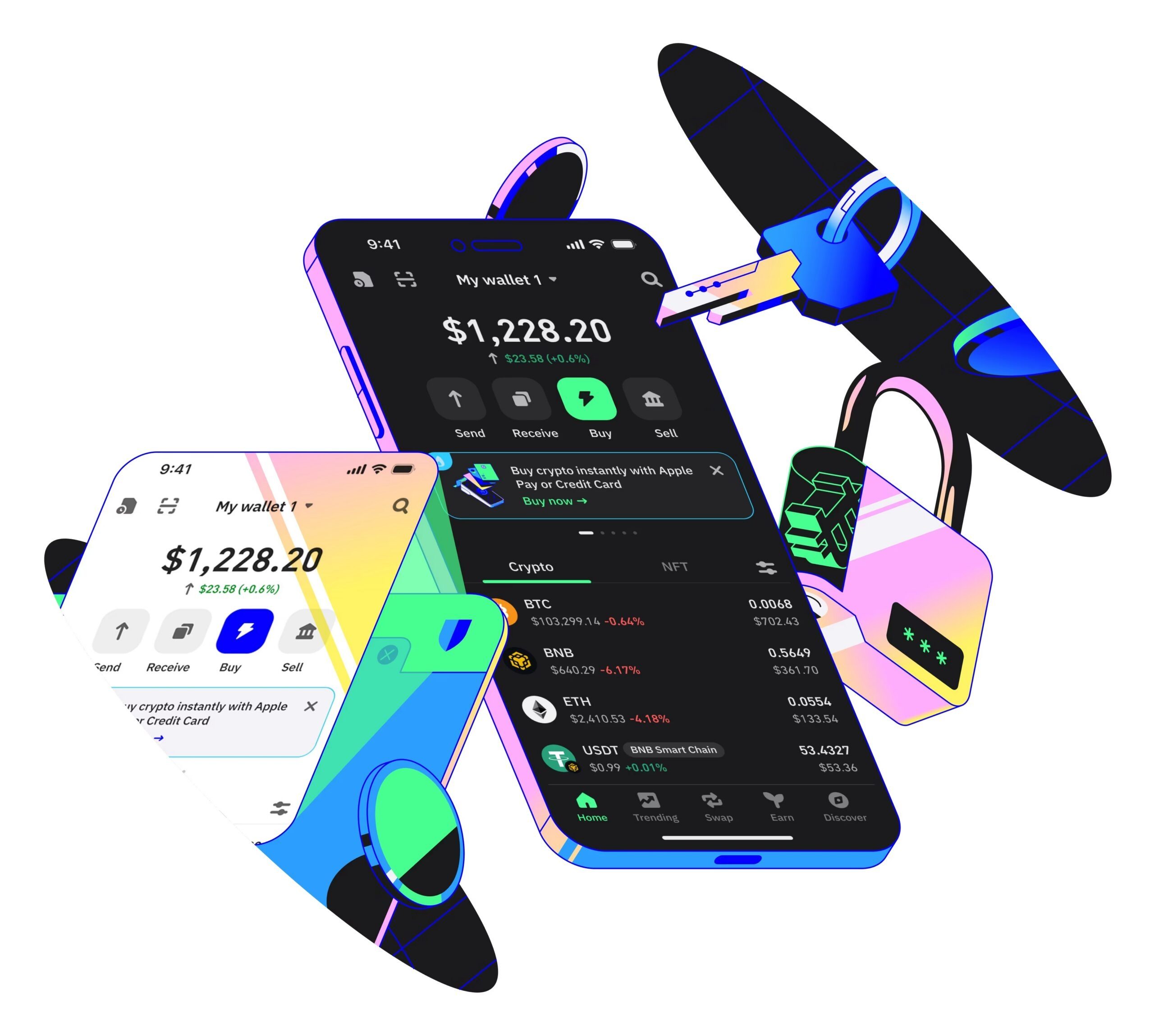
Source: Trust Wallet
Trust Wallet and Exodus are the two strongest general-purpose options if you want DOGE alongside a bunch of other assets in one place, rather than a Dogecoin-only app. Trust Wallet supports Dogecoin along with over 100 blockchains and integrates WalletConnect, which makes linking up to dApps fairly painless if you’re also dabbling in DeFi or NFTs on other chains. It’s also backed by Binance, which gives it a level of resources and update frequency that smaller, independent wallet teams sometimes struggle to match.
Exodus takes a similar multi-chain approach but adds a built-in exchange, so swapping between DOGE and other assets doesn’t require leaving the app or copying addresses back and forth between two separate pieces of software. The interface leans more polished and beginner-friendly than Trust Wallet’s, which some people prefer and others find a bit too simplified if they want more granular control over things like custom transaction fees.
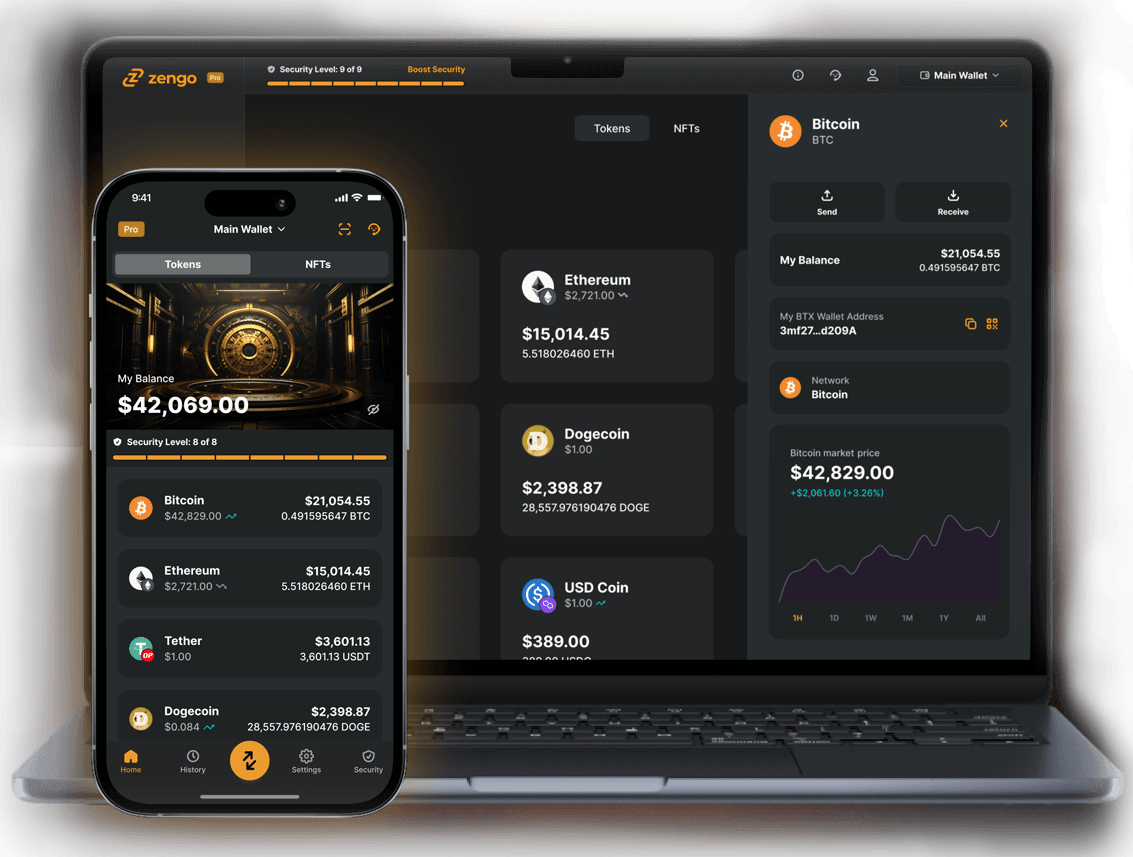
Source: Zengo
Zengo is worth a look if security on a software wallet is your main concern, and you’re willing to trade some conventionality for it. It skips the traditional seed phrase entirely in favor of a different recovery model split across your device, an encrypted backup, and Zengo’s own servers, which removes the single point of failure a lost or leaked seed phrase usually represents. It’s not for everyone, some people specifically want the standard 12 or 24-word phrase they can write down, control, and restore anywhere without depending on Zengo’s infrastructure existing forever, but it’s a genuinely different take on wallet security that’s worth knowing about even if you don’t end up using it.
Atomic Wallet rounds out the mobile category as another multi-chain option with built-in staking support and a decentralized exchange feature baked in. Dogecoin isn’t a staking asset, so that particular feature won’t help your DOGE holdings specifically, but if you’re managing a broader portfolio, it’s a reasonable one-stop option.
What Is the Best Hardware Wallet for Dogecoin?
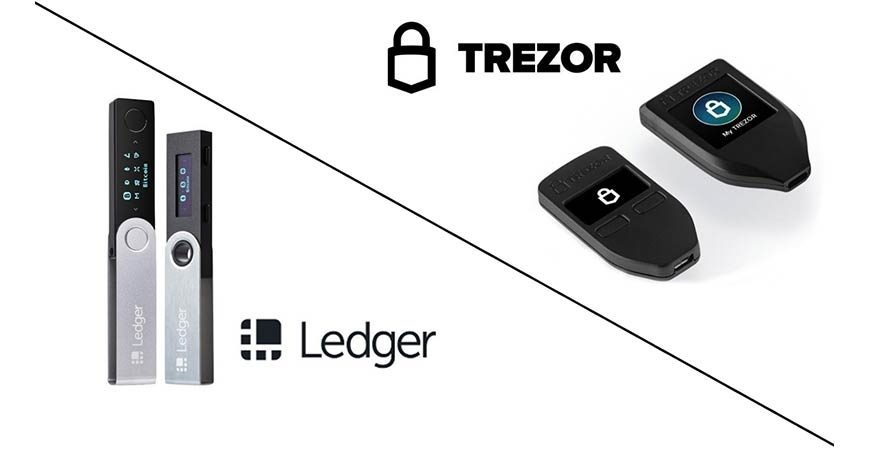
Ledger and Trezor remain the two most established names here, both keeping private keys fully offline and requiring on-device confirmation before any transaction actually goes through. Ledger’s lineup ranges from the lower-cost Nano S Plus, a straightforward USB device without Bluetooth or a touchscreen, up through the pricier Flex, which adds NFC, Bluetooth, and a larger display for a more mobile-friendly experience. The Nano S Plus is genuinely fine for most people, the extra features on the Flex are convenience upgrades, not security upgrades, so don’t assume you need to spend more to get real protection.
Trezor takes a fully open-source approach across both firmware and hardware design, which appeals specifically to people who want every component of the device to be independently auditable rather than trusting a closed, certified security chip the way Ledger’s devices work. The Trezor Safe 5 is the current flagship, adding a color touchscreen and a haptic feedback element on top of the same core security model Trezor’s had for years. Neither approach, open-source versus certified chip, is objectively better, it’s more a philosophical choice about what kind of trust you’re comfortable with.
Tangem takes a genuinely different approach worth mentioning on its own. Instead of a traditional device with a screen and buttons, it’s a set of NFC cards you tap against your phone to sign transactions, no battery, no display, nothing to charge, nothing to eventually replace when the battery dies years down the line. You still need a phone to actually use it, so it’s not a fully standalone option the way Ledger or Trezor can technically be, but for people who find typical hardware wallets clunky or intimidating, it’s a much lower-friction way to get real cold storage. Cards typically come in sets of two or three, so losing one doesn’t mean losing access, since the others still work.
SafePal‘s S1 is worth a mention too, mainly because it’s meaningfully cheaper than most of the alternatives here while still hitting the core security marks: fully air-gapped, open source, and managed through a mobile app, browser extension, or even a Telegram mini-app if that’s your preference. If budget is the deciding factor and you don’t need the polish of a Ledger or Trezor, it’s a legitimate option rather than a corner-cutting one.
How Do You Set Up a Dogecoin Wallet?
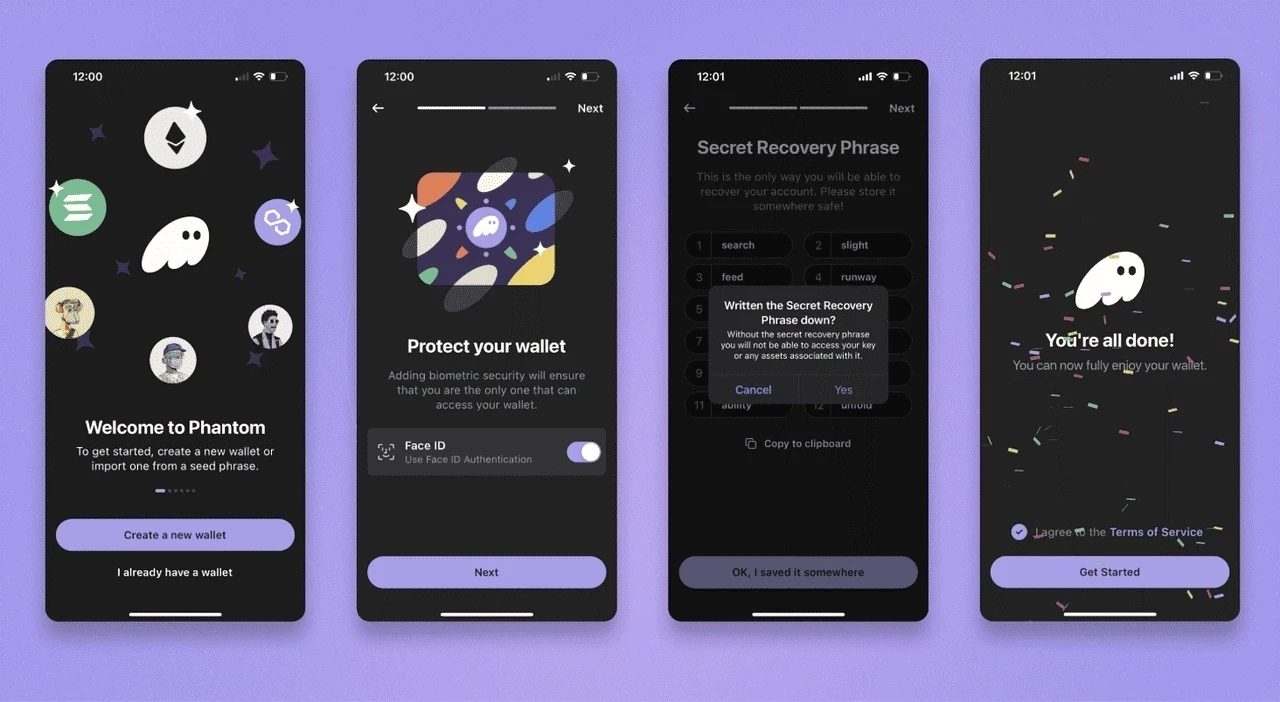
The process is similar whether you’re setting up a mobile app or a hardware device, just with an extra physical step for hardware. Download the wallet only from the official source, the provider’s own website, the official app store listing, or in Dogecoin Core’s case, the project’s own download page. Fake wallet apps and cloned download pages are one of the easiest ways people lose funds before they’ve even sent a single transaction, and they’re often disturbingly well-made.
Once installed, create a new wallet or import an existing one if you’re restoring access. Almost every wallet will walk you through backing up a recovery phrase, usually 12 or 24 words shown once on screen. Write these down on paper, in order, and store them offline, separate from the device itself. Don’t screenshot it or save it in a notes app, that defeats the whole point of an offline backup.
For hardware wallets, verify the device is genuine before trusting it with real funds, usually through the manufacturer’s companion software. Buy directly from the manufacturer or an authorized reseller rather than a random marketplace listing, since a resold device carries risk a sealed new one doesn’t. And after setup, send a small test amount first, something you wouldn’t mind losing, before moving anything larger. It’s a five-minute step that catches most setup mistakes before they turn expensive.
Where Can You Buy or Exchange Dogecoin?
You’ve got two main paths: mainstream exchanges that require identity verification, or no-KYC swap services that convert one crypto straight into another without an account. Which one fits depends on whether this is your first DOGE purchase with real money, or you’re already holding crypto and just want to convert some of it into DOGE without a lot of extra steps.
Quickex is a solid example of that second category. It supports swaps across more than 100 cryptocurrencies, including converting BTC, ETH, USDT, or SOL directly into DOGE, for example USDT to DOGE, without creating an account, unless a transaction gets flagged by its own risk-review process. You can choose a fixed rate, which locks in your exact DOGE amount before you send funds, useful if you want certainty and don’t want to watch the market while your transaction confirms, or a floating rate that tracks the live market and comes with a lower fee, better if you’re comfortable with a bit of price movement in exchange for saving on cost. Quickex charges 1% on fixed-rate swaps and 0.5% on floating-rate swaps, on top of the standard network fee, and most conversions into DOGE wrap up within 5 to 10 minutes once the incoming payment clears.
Whichever way you go, get your DOGE off the exchange or swap platform and into a wallet you actually control fairly soon after buying. Neither type of platform is designed to double as long-term storage, and leaving a meaningful balance sitting there just adds risk that doesn’t need to be there, platform hacks, withdrawal freezes, and company insolvency have all happened to exchanges that seemed perfectly stable right up until they weren’t.
How Do You Keep a Dogecoin Wallet Secure?
Same rule no matter which wallet you pick: never share your seed phrase, ever, with anyone, for any reason. Don’t type it into a website, an app, or a support chat, even if it looks completely official. Whoever gets that phrase has permanent, irreversible access to everything in the wallet, no undo button, no fraud department. No legitimate support team will ever ask you for it, full stop.
Beyond that, only download wallet software from official sources, since fake wallet apps and cloned download pages are a common way people lose funds before they’ve even sent a single transaction. If you’re using a hardware wallet, verify transaction details on the device’s own screen rather than trusting only what a connected phone or computer shows, since malware on that device could display something completely different from what’s actually being signed.
A second layer worth adding if the wallet supports it: enable a PIN or biometric lock on top of whatever the wallet itself requires, and turn on two-factor authentication on any exchange or swap account tied to your crypto activity. None of this is foolproof, but each layer raises the effort required to actually get at your funds, and most attackers move on to easier targets.
What Mistakes Should You Avoid With a Dogecoin Wallet?
The single biggest one is sending DOGE to the wrong network. Dogecoin runs on its own blockchain, not Ethereum or BNB Chain, so sending DOGE to an address generated for a different network generally means those funds are gone for good. Always double-check the network matches on both ends before hitting send, especially when moving funds between an exchange and a wallet.
Another common mistake is treating a hot wallet like long-term storage just because it’s convenient. It’s tempting to leave everything in the app you check daily rather than dealing with a hardware device, but that convenience is exactly what makes hot wallets a bigger target. If a balance would genuinely hurt to lose, it belongs in cold storage. Read more about All types of crypto scams.
Fake giveaways and impersonation scams are also worth calling out, since Dogecoin’s meme-driven, social-media-heavy community makes it a frequent target. Messages claiming a celebrity or exchange will double whatever DOGE you send them are always fake, no exceptions. Real giveaways don’t ask you to send funds first.
Frequently Asked Questions
What is the safest Dogecoin wallet?
Hardware wallets like Ledger and Trezor are the safest option, since private keys never touch an internet-connected device.
Both sign transactions internally and require on-device confirmation, which removes remote hacking as a realistic threat. The main risk shifts to physical security and backing up your seed phrase properly, so where and how you store that backup matters just as much as the device itself.
Is Dogecoin wallet safe if I use a mobile app instead of hardware?
Yes, reputable mobile wallets like MyDoge, Trust Wallet, and Exodus are safe for everyday amounts, though hardware wallets offer stronger protection for larger balances.
Mobile wallets are non-custodial, meaning you control the private keys, not the app developer, so the main risks come down to device security and seed phrase handling rather than the wallet itself being unsafe. For amounts you’d be upset to lose, pairing a mobile wallet with occasional transfers to cold storage is the more cautious approach.
What platform can I buy Dogecoin on?
You can buy DOGE on major exchanges like Coinbase, Binance, and Kraken, or through no-KYC swap services like Quickex if you already hold other crypto.
KYC-verified exchanges are the more common route for a first-time fiat purchase, since they accept bank transfers and cards directly. No-KYC swap platforms skip the account and identity check for typical trades, but they generally require you to already hold crypto to convert into DOGE rather than depositing cash directly.
Can I use one wallet for both Dogecoin and Bitcoin?
Yes, multi-chain wallets like Trust Wallet, Exodus, Ledger, and Trezor all support Dogecoin alongside Bitcoin and many other cryptocurrencies.
These wallets manage separate keys and addresses per blockchain internally, so holding DOGE and BTC together doesn’t create any extra risk or mix the two up. If you specifically want a Dogecoin-only experience built around the DOGE ecosystem, MyDoge is the narrower, purpose-built alternative.
How much does a Dogecoin hardware wallet cost?
Dogecoin-compatible hardware wallets typically range from around $50 to $250 depending on the brand and model.
Budget options like the SafePal S1 or Ledger Nano S Plus cover the core function of offline key storage without extras like Bluetooth or a large touchscreen. Higher-priced models such as the Ledger Flex or Trezor Safe 5 add convenience features, but the underlying offline-signing security is essentially the same across price tiers.
Can I recover my Dogecoin if I lose my phone or hardware device?
Yes, as long as you still have your seed phrase, your DOGE can be restored on any compatible wallet.
The seed phrase, typically 12 or 24 words, is what actually controls your funds; the device or app is just the interface for accessing them. Losing the physical device doesn’t mean losing your DOGE, but losing the seed phrase without a working backup generally does, which is why writing it down correctly and storing it somewhere safe from day one really does matter.
What happens if I send DOGE to the wrong network?
In most cases, funds sent to the wrong network are permanently lost, so double-checking the network before sending matters more than almost anything else.
Dogecoin runs on its own blockchain separate from Ethereum, BNB Chain, or other networks, so an address generated for a different chain generally won’t recognize or recover DOGE sent to it. Some exchanges can occasionally manually recover misdirected funds through their support team, but this isn’t guaranteed and often comes with fees or long wait times, so it’s much easier to just verify the network matches before hitting send.